WELDER


Fix phase between kick layers.
Two kicks that each sound heavy can sum to something weaker than either one. WELDER measures the phase relationship between the layer and its anchor across a full bar of audio, corrects it, and reports the result in decibels rather than adjectives.
Hear it on two kicks
Bypassed vs welded
Same two layers, same faders, nothing added. The welded versions are louder because the low end stops cancelling. The badge shows how much comes back below 250 Hz.
Three ways to correct
Phase tools normally offer you one of two things: a single angle for the whole spectrum, which is safe but cannot fix a problem that only exists in the sub, or a full per-frequency match, which fixes everything and can cost you the transient. WELDER gives you both, and the one in between — and you pick after hearing all three on your own material, not before.
One phase angle across the whole layer. The safest correction, and often the only honest one for the material.
An independent angle per frequency band, so the sub can align without dragging the click with it. Smooth across frequency, so it moves phase without smearing the hit. This is the mode you will not find elsewhere, and it is the default.
Per-frequency matching against the anchor, mixed in at an amount you set. The strongest correction available, and the one that asks for restraint — the amount knob is there because 100% is rarely the right answer.
What it reports
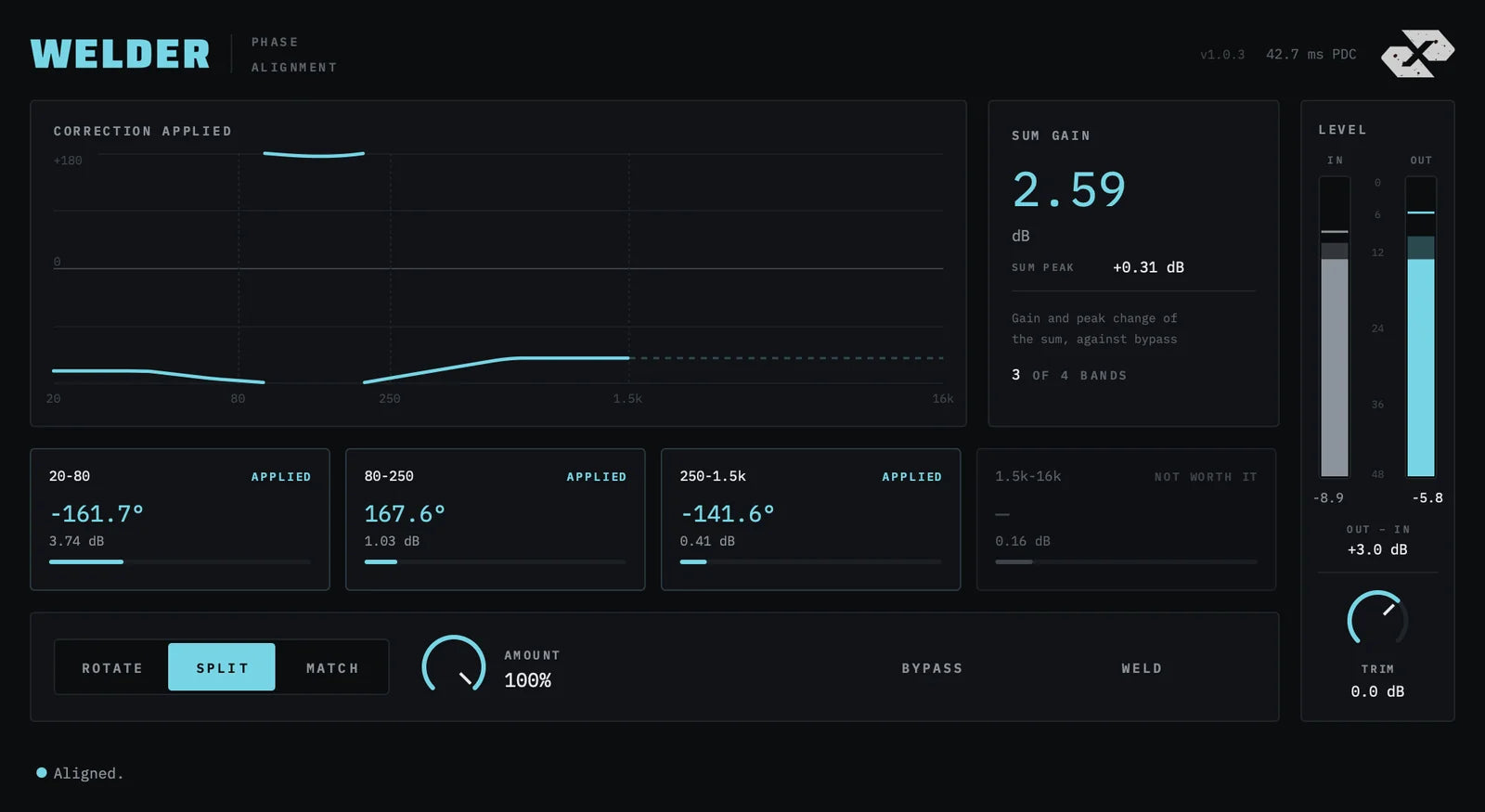
Sum gain, measured against bypass and level matched. Not a claim — the actual figure for the two layers you fed it.
Per-band angle and gain. Four bands, each showing the correction applied and what it bought. A band not worth correcting says so instead of inventing a number.
Latency that never moves. 2048 samples in every mode, every licence state, bypassed or not. A mixdown tool, not a tracking one.
Specification
| Formats | VST3, AU (macOS) · VST3 (Windows) |
| macOS | Universal — Apple Silicon and Intel · signed and notarised |
| Windows | 64-bit |
| Latency | 2048 samples — 46.4 ms at 44.1 kHz, identical in every mode and state |
| Sample rates | 44.1 – 96 kHz |
| Metering | IN/OUT peak meter · clip indicator · output trim |
| Licence | 3 machines · online activation · perpetual |
| Version | 1.0.3 |
| Manual | Read online or download the PDF |